

Find a run
- Open your account menu, then expand Builder and select Conversation Logs.
- Select the entry point, such as Shareable Link, and filter by teammate. You can also search the list.
- Select a conversation. Review the visitor’s message, the teammate’s reply, and the recorded execution steps.
Inspect a tool call
In this example, a visitor asks the Product Support teammate how to reset a workspace password.- Find the question and reply in the transcript.
- Select Show process to view the execution steps when trace data is available.
- Expand the knowledge search to check its query and result. If the search returned the wrong document, check the attached knowledge base and test the question again in Preview.
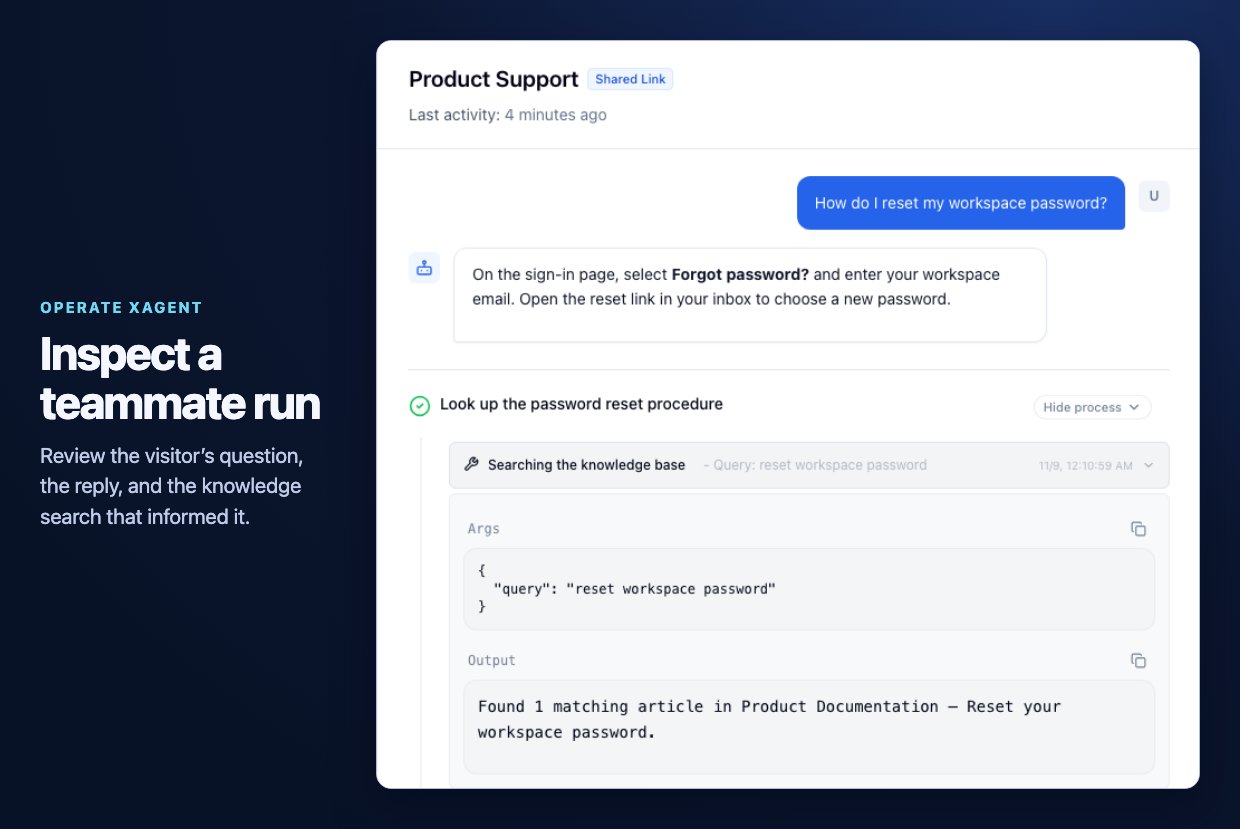
Example Product Support run showing a visitor's question and the knowledge search.